

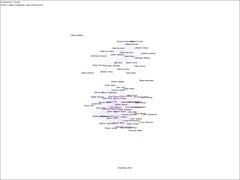
Today Chris Brogan reminded me it was Blog Day. Now I feel a bit silly pointing out new blogs to check out, as I feel that I'm hardly an authority, but I can play too. In looking at my facebook connections (which really represents only a small portion of the circles I am in) I realize that I tend to connect different groups. So in that vein, rather than focusing on "new" blogs I will focus on blogs that are by folks that are not part of the "New Media" crowd on Facebook.
First we have Treppenwitz - Hardly a new blog or a small blog, but in looking at the connections map he's definitely in another circle. He writes about his life - sometimes it is about his politics but it is also about his family and work and fun picture stories.
Secondly, and I'm a bit surprised about this, is Gwen Bell. She seems more connected into the new media scene, but on Facebook she isn't highly into the Web2.0 cluster. She wrote about the Startup Weekend in Boulder but also writes about all sorts of stuff, yoga, karaoke, things that are important to her.
Third up, Mark Corner. His blog, Lose that Tyre, is ostensibly about weight loss, but occasionally has other interesting thoughts. I actually found out about the Thirty Day Challenge because of Mark. He followed me on twitter, I followed back and then he mentioned he started twitter because of the challenge and so I checked out the site. The other big cluster on my map is folks I've met through the Thirty Day Challenge. Since then, I get to find out about all sorts of cool things from Mark between the groups he lets me know about and his twitters. Check him out.
Fourth we have Neptunus Lex. He is a Naval Officer & Aviator. My husband turned me on to his blog as he has amazing stories. I have a renewed appreciation for what goes into landing on an Aircraft Carrier. I'd like to learn to fly, but I think I'll pass on landing on a boat.
Fifth we have Ouria Tadmor and his blog The World. His blog is mostly pictures and when he writes he often writes in Hebrew, which I don't know well enough to read, but I love his pictures.
Updated: Yeah I had problems finding 5 - especially because I forgot I was going to add this one. Caroline Middlebrook has a great blog. She writes really well, explains concepts really well and tells her story while she does it. I definitely recommend her blog.
What I find interesting is that many of my friends who were early adopters and creating the new web back in the early 1990's don't seem to be very present in the current new media. Yes, they still have their web pages, but not much else. I wonder what makes a person continue to explore and get involved in new technologies and what makes a person become satisfied with the tools they have and their personal projects and leave the early adopting to others.
Showing posts with label facebook. Show all posts
Showing posts with label facebook. Show all posts
Friday, August 31, 2007


Tuesday, August 28, 2007
Bacn and Paper Towels
Ok, now that I'm seeing even people I think would know better complaining about Bacn, like Seth Godin I have to speak up about Paper Towels.
You want the info but later (otherwise you probably would have turned it off on the configuration of your twitter/facebook/pounce/jaiku/8apps/etc.) What do you do?
People - this has been around forever. When you are on lots of mailing lists you don't necessarily want the news in your in-box either - that is why G-d invented mail filters.
Each mail program has its own special way to set up mail filters - but you can have the bacn go straight to its own special folder. You know the domain the email will be coming from - it's really easy to filter.
So stop complaining about bacn - enjoy it in its right place and keep your email useful.
Below I will provide some tips on how to set up mail filters on some of the more common mail programs. (Sorry Linux users I don't know what the "common email program" would be for you but I suspect you already know how to do this.) Enjoy your paper towels and consume bacn responsibly.
(And if you don't want the service notifications - check your preferences - most of these services let you turn off their info emails.)
On to the email filters.
Gmail - They are called filters but the power comes from the labels. Label the mail and archive it (Skip the inbox checkbox.) Then click on the labels on the side bar (towards the bottom) to read your bacn when ready. Learn how to set up filters here: http://mail.google.com/support/bin/answer.py?answer=6579
Apple Mail - Set up rules and dump the mail in its own special mailbox. If you want you can create a bacn folder and then have a mailbox for each service - or you can just dump it all into a general bacn box. Ok...I'm not finding a great page on this but I'll augment the Apple support doc I found.
1) Create your bacn box (Mailbox-> new mailbox)
2) Select some Bacn
3) Follow the directions to set up a rule here http://docs.info.apple.com/article.html?artnum=151480
because you already selected the mail you want to filter it will already fill in the the email address to filter on (you can chose other criteria if you prefer). Tell it to move the message to your new bacn folder.
Outlook - What you are looking for is user defined filters. Check out this page for the details: http://www.uh.edu/infotech/php/template.php?nonsvc_id=247
Outlook express - Details on filters for Outlook express can be found here: http://www.opentechsupport.net/forums/archive/topic/7626-1.html
You want the info but later (otherwise you probably would have turned it off on the configuration of your twitter/facebook/pounce/jaiku/8apps/etc.) What do you do?
People - this has been around forever. When you are on lots of mailing lists you don't necessarily want the news in your in-box either - that is why G-d invented mail filters.
Each mail program has its own special way to set up mail filters - but you can have the bacn go straight to its own special folder. You know the domain the email will be coming from - it's really easy to filter.
So stop complaining about bacn - enjoy it in its right place and keep your email useful.
Below I will provide some tips on how to set up mail filters on some of the more common mail programs. (Sorry Linux users I don't know what the "common email program" would be for you but I suspect you already know how to do this.) Enjoy your paper towels and consume bacn responsibly.
(And if you don't want the service notifications - check your preferences - most of these services let you turn off their info emails.)
On to the email filters.
Gmail - They are called filters but the power comes from the labels. Label the mail and archive it (Skip the inbox checkbox.) Then click on the labels on the side bar (towards the bottom) to read your bacn when ready. Learn how to set up filters here: http://mail.google.com/support/bin/answer.py?answer=6579
Apple Mail - Set up rules and dump the mail in its own special mailbox. If you want you can create a bacn folder and then have a mailbox for each service - or you can just dump it all into a general bacn box. Ok...I'm not finding a great page on this but I'll augment the Apple support doc I found.
1) Create your bacn box (Mailbox-> new mailbox)
2) Select some Bacn
3) Follow the directions to set up a rule here http://docs.info.apple.com/article.html?artnum=151480
because you already selected the mail you want to filter it will already fill in the the email address to filter on (you can chose other criteria if you prefer). Tell it to move the message to your new bacn folder.
Outlook - What you are looking for is user defined filters. Check out this page for the details: http://www.uh.edu/infotech/php/template.php?nonsvc_id=247
Outlook express - Details on filters for Outlook express can be found here: http://www.opentechsupport.net/forums/archive/topic/7626-1.html
Subscribe to:
Posts (Atom)